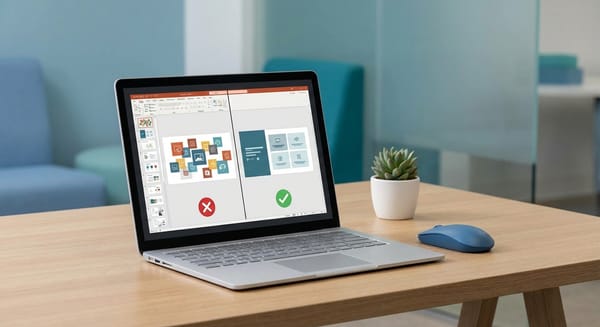
Closing the Loop: Why Slide-Level Feedback is Essential for QA Maturity

The Failure of the Post-Course Survey
Most eLearning feedback dies in a post-course survey. We ask learners to recall their experience after the fact, resulting in vague comments like "the navigation was confusing" or "some parts were too slow." For a developer or L&D leader, this data is functionally useless. It lacks the context required to make precise edits.
To build high-quality courses, we need to move away from retrospective summaries and toward granular, in-the-moment diagnostics. When feedback is tied to a specific slide, it transforms from a generic opinion into an actionable data point.
Identifying the "Muddy Points"
In a physical classroom, an instructor can read the room. They see the confused looks or the hesitant pauses. In asynchronous eLearning, we are effectively flying blind. Slide-specific feedback acts as a digital signal of where a learner is struggling.
By tracking feedback at the slide or screen level, teams can identify "muddy points"—the specific explanation, graphic, or interaction that caused a cognitive block. This allows for surgical improvements:
- Content Calibration: If one slide generates a high volume of "confused" tags, you know exactly where to refine the copy or add a supplementary example.
- UX/UI Refinement: Feedback might reveal that a specific screen is visually overloaded or that a navigation trigger is non-intuitive.
- Resource Allocation: Instead of rebuilding an entire module, L&D managers can direct resources to the 5% of the course that is actually failing the learner.
Correcting Metacognitive Errors
Feedback isn't just about fixing typos; it’s a critical component of the learning process itself. Research indicates that iterative feedback loops help correct metacognitive errors—specifically the gap between what a student thinks they know and what they actually know.
When learners can flag a concept the moment they encounter it, it fosters student agency. It shifts them from passive consumers to active contributors. Furthermore, engagement with feedback loops is a proven predictor of success; students who engage with feedback mechanisms early in a course are significantly more likely to pass and retain the material.
Eliminating Friction in the Review Cycle
The biggest hurdle to quality feedback is friction. If a stakeholder or learner has to leave the course, log into another system, and describe the slide they were just looking at, they simply won't do it. Or worse, they will send an email that says, "The button on the slide with the blue house is broken," leaving the developer to hunt through 100+ screens to find the issue.
A mature QA process requires a mechanism that captures feedback inside the environment where the learning happens. This means:
- No-login barriers: Feedback should be one click away for the learner.
- Visual evidence: The ability to annotate a screenshot directly on the slide eliminates the back-and-forth "what did you mean by this?" emails.
- Automated context: The system should automatically record the slide title, number, and SCORM data so the developer doesn't have to ask.
Implementing a Precision Feedback Strategy
If you are looking to move beyond basic QA, consider these steps for your next production cycle:
- Enable slide-level tracking: Use tools that identify the specific location of every comment.
- Categorize feedback: Require reviewers to tag feedback (e.g., UI, Content, Audio) to speed up triage.
- Review in the LMS: Test your course in its final environment while keeping the feedback channel open.
At ReviewMyElearning, we developed the Remote Feedback Widget to solve this exact problem. It allows you to embed a floating feedback button directly into your SCORM packages. Learners can submit comments and annotated screenshots from any LMS without needing an account, while the system automatically captures the slide context for you. It’s a simple way to bring professional QA standards to the learner experience.