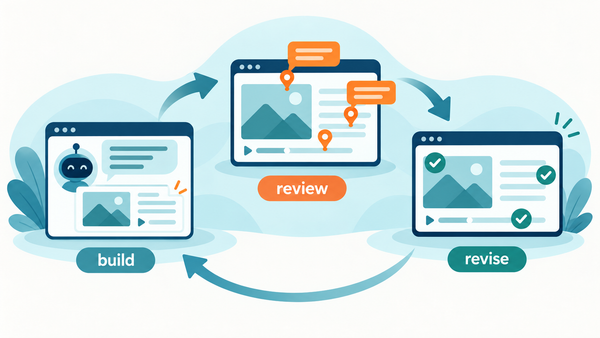
The course is live. The feedback channel shouldn't disappear.
The course passed review and launched. Then a learner finds a broken quiz button in the LMS. A feedback widget inside the SCORM package keeps that report tied to the exact slide, with a screenshot - no login needed.

The SMEs approved the course. The client signed off. Two weeks after launch, a learner finds that the final quiz button does nothing in the LMS. Where does that report go?
Usually it goes into a help desk ticket, if the learner reports it at all. The ticket says "quiz is broken," with no screen, no browser context, no screenshot. By the time it reaches the person who built the course, the team is trying to recreate a problem inside a package it thought was finished.
Pre-launch review and learner feedback solve different problems. A reviewer tests the course in a controlled cycle. A learner runs it inside the actual LMS, with real navigation, real permissions, and sometimes a browser nobody on the project used. The second environment can surface issues the first never saw.
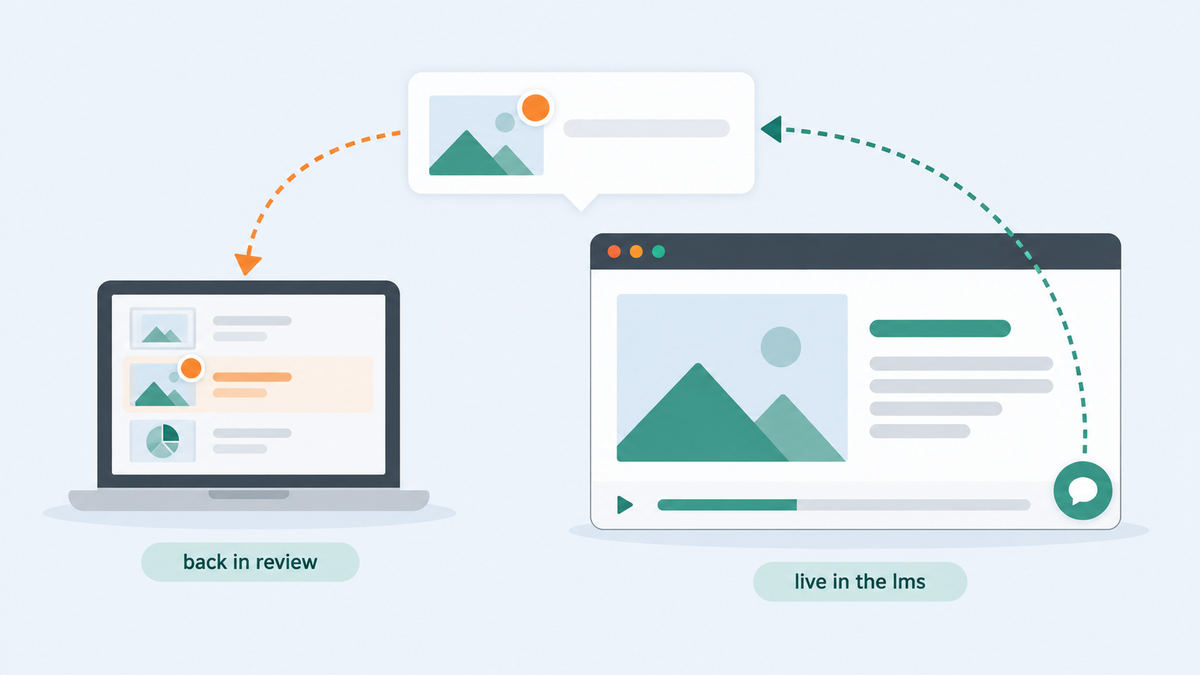
Keep a way to report the problem in the deployed package
Review My eLearning can inject a feedback widget into your course when you download the SCORM package. Upload the course to RME, turn on the widget, download the package, and put that package in your LMS. Setup takes a course owner or uploader a few minutes, and you can place the button where it fits and match it to your theme and accent color.
A learner then reports an issue while looking at the screen where it happened - no RME account, no extra login. The comment is tied to the exact slide, with an optional annotated screenshot and a category. It lands in RME as a comment on that slide, notifies the team, and can route out through Zapier to Slack, Jira, or your help desk. Instead of "the blue button somewhere near the end," the developer has a place to start.
That does not mean every comment becomes a production bug. Triage still matters: separate a confusing instruction from a broken interaction, assign an owner, reproduce the issue, and decide whether the course needs a new release. Keep the feedback route open after that release too. Courses change, LMS settings change, and learners find paths the test group did not.
A practical release check
- Finish the ordinary SME and accessibility review before deployment. The widget is not a substitute for sign-off.
- Download the feedback-enabled SCORM package and test that exact package in the target LMS: launch, navigation, and a sample feedback submission with a screenshot.
- Decide who receives and triages learner comments, and where they should land - RME notifications, or routed out through Zapier.
- Keep the source package and release version alongside the comments so the team knows which course to fix.
A website feedback widget is a different installation path. zipBoard documents a script pasted into web pages; RME's path injects the button when it creates the downloadable course package. That is the narrow difference worth explaining, not a claim that nobody else collects visual feedback.
Review does not end because a course moved into the LMS. That is when the people who depend on it finally arrive.
Try it on your next release. Upload a course, turn on the feedback widget, and download the package. The free trial needs no credit card.